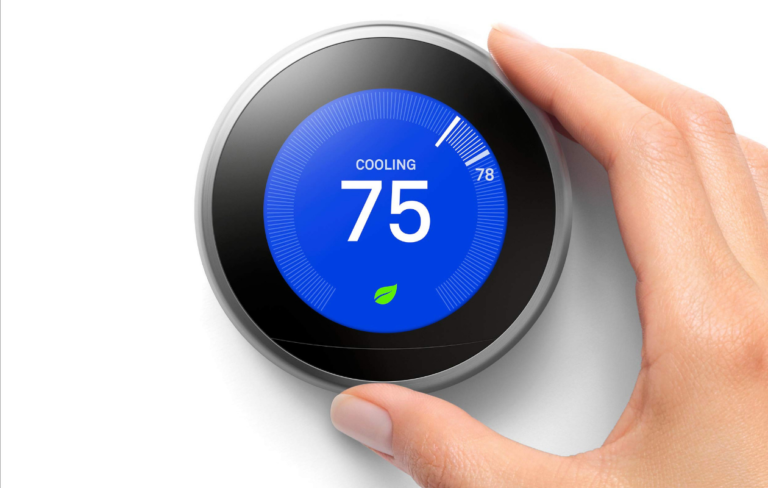
Nest Thermostat Delayed Issues Causes And Fixes
Nest Thermostat Delayed Issues have drawn fresh attention this winter as more households lean on app-based control during tight weather swings and higher-stakes heating nights. Some of the loudest frustration isn’t about total failure, but about timing—thermostats that appear to hesitate, display a countdown, or take minutes to act after a change.
In public threads, owners describe a “delay message” that appears at the moment heat or cooling is expected to start, sometimes with a short countdown that repeats across cycles. Google’s own troubleshooting materials also acknowledge “Delayed” and “Starts in” messages as a recognizable symptom alongside rapid on-off behavior and systems that don’t start when the thermostat changes color to indicate a call for heating or cooling. What keeps the issue alive is how varied the underlying causes can be, and how similar they look from a hallway glance. Nest Thermostat Delayed Issues sit in that uncomfortable space between normal protective behavior and a setup that’s quietly drifting out of tolerance.
The delay, as seen on-screen
The countdown that starts the argument
The first thing people notice is language: “Delayed,” “Starts in,” and a timer that can make a modern thermostat feel oddly old-fashioned. Google’s support documentation treats those on-screen phrases as a known category of “strange heating or cooling issues,” not automatically an error code event. That framing matters because it leaves room for the delay to be protective, situational, or a sign of marginal power.
Nest Thermostat Delayed Issues often become a dispute about whether the thermostat is “deciding” to wait, or whether it is unable to act. Owners rarely have visibility into which part of the chain is pausing—thermostat, wiring, control board, or equipment safeguards. The display, however calm, becomes the only public-facing explanation.
App commands that arrive late
A separate class of complaints is less about a visible countdown and more about remote control that feels like it’s moving through wet cement. In those cases, the system may heat or cool normally on its own schedule, but changes made from a phone arrive minutes later or seem to queue. Posts describing long waits for app commands tend to read like connectivity problems, even when the thermostat itself still shows a normal temperature and interface.
Nest Thermostat Delayed Issues are easy to misread here because the symptom is time, not temperature. A delayed command can look like delayed heating when the underlying HVAC response is actually prompt once the instruction is received. When the delay is intermittent, households can spend days blaming equipment that never actually missed a call.
Why mornings make it look worse
The sharpest complaints often cluster around predictable moments: early morning warm-ups, school runs, or late-night setbacks. Even when the equipment is healthy, the gap between setpoint and room temperature is usually widest at those times, and any pause becomes more obvious. People also tend to watch the thermostat more closely in a cold room than in a comfortable one.
Nest Thermostat Delayed Issues gain intensity when the system seems to “wake up” late, then run longer to catch up. That pattern can be read as a thermostat hesitation when it may be a combination of schedule logic, recovery time, and equipment ramp-up. The public record rarely captures those nuances, because most reporting is anecdotal and moment-specific.
Rapid on-off cycles that raise alarms
Some owners notice a delay message paired with short cycling, where the system starts, stops, and starts again in quick succession. A community post describing a three-minute delay alongside repeated boiler behavior shows how quickly users jump from “delay” to “malfunction,” especially when utility costs rise at the same time. Google’s troubleshooting page explicitly lists rapid on-off behavior as one of the “strange” patterns that can accompany power or wiring issues.
Nest Thermostat Delayed Issues become more than a nuisance when cycling is visible and audible. Clicking relays and brief runs can feel like wasted fuel, even if some cycling is equipment-driven. It also pushes people toward risky improvisation—constant manual overrides—because waiting feels like surrender.
Display lag versus heat lag
There is also a quieter variant: the thermostat interface itself feels slow, dim, or hesitant, and users interpret that as the system not responding. If the screen wakes late or navigation stutters, the device can feel unreliable even before the furnace is part of the story. In practice, “slow” can refer to UI performance, sensor updates, or network responsiveness, each with different consequences.
Nest Thermostat Delayed Issues become hard to diagnose in households where more than one problem is present. A weak connection can delay app updates, while a marginal power situation can degrade the thermostat’s behavior in ways that resemble software problems. When both happen together, the timeline becomes muddy—and that’s usually when people start swapping hardware.
Power and wiring pressure points
The C-wire question that won’t go away
Few topics recur as often as the common wire. Google’s troubleshooting guidance repeatedly emphasizes steady power and notes that systems can need a C wire or a Nest Power Connector to provide it. In community discussions, users sometimes argue back with battery readings and insist the C wire is present, suggesting that “having one” and “getting stable power” are not identical in the field.
Nest Thermostat Delayed Issues can surface when power is technically available but inconsistent, especially in older homes with complicated controls. That gray zone is where the device can appear functional most of the time, then slip into delays during heavy use or at the worst moment. The public-facing symptom looks like software hesitation, but the root can be electrical.
Loose connectors and intermittent contact
Google’s own checklist points first to basics: wires fully inserted, connector buttons properly depressed, and wire ends straight enough to seat correctly. The reason is not dramatic—an imperfect contact can behave fine until vibration, temperature change, or routine handling nudges it. Delays then show up as a pattern: brief starts, dropouts, recoveries.
Nest Thermostat Delayed Issues tied to wiring are often the ones that “start happening recently,” long after an installation that seemed successful. In those cases, the reporting is consistent: nothing changed, until it did. The absence of a single triggering event makes it harder for households to accept that a physical connection can still be the culprit.
Power Connector as the compromise fix
Google positions the Nest Power Connector as an alternative to running a new common wire, describing it as a power accessory that can provide steadier power at lower complexity. That framing reflects an installation reality: many homes have limited spare conductors at the thermostat wall, and running new cable is disruptive. In practical terms, it becomes the middle path between “ignore it” and “rewire the house.”
Nest Thermostat Delayed Issues sometimes ease after power stabilization, but the public record is uneven because results vary by system type. What works cleanly on one forced-air furnace may behave differently on a boiler with multiple zones. The same accessory can be described as a cure in one home and a partial improvement in another.
Battery behavior and “tired” symptoms
Some owners focus on battery numbers, but the lived experience is more tactile: a thermostat that feels sluggish, wakes slowly, or behaves inconsistently under heavy demand. A community user citing battery voltage while still seeing delays reflects that tension between “the readings look fine” and “the system doesn’t act fine.” In many homes, the thermostat’s internal battery is not a set-it-and-forget-it element; it lives inside a power relationship with the HVAC system.
Nest Thermostat Delayed Issues tied to borderline power can masquerade as connectivity trouble. The device may still connect, still show temperature, still accept input—just not on the timeline people expect. That’s why the complaints often intensify gradually, then suddenly become urgent.
Installation-era errors that emerge later
Google notes that wiring issues often occur right after installation, but also acknowledges they can show up later for other reasons. That “later” category includes everything from settling wire ends to changes in the HVAC system itself. A service visit, a swapped control board, or seasonal switching can alter the electrical behavior the thermostat depends on.
Nest Thermostat Delayed Issues in this bracket tend to trigger the most second-guessing. People remember a stable year and assume the thermostat must now be defective. Sometimes it is. But the more common reporting pattern points to a system that has drifted, not a device that suddenly forgot how to run a furnace.
Network and software bottlenecks
Wi‑Fi strength and the boring realities of range
In homes where the app experience is central, Wi‑Fi becomes part of comfort. Consumer guidance on fixing Wi‑Fi issues often starts with checking the thermostat’s reported network and connection strength inside its settings menus. That advice is mundane, but it speaks to how many “delays” are really message transit problems, not heating problems.
Nest Thermostat Delayed Issues driven by weak signal don’t always look like disconnection. A device can remain technically online while struggling with latency, retransmits, or router handoffs. The symptom becomes inconsistency: commands that work instantly one hour and arrive late the next.
The “offline but not offline” feeling
A common frustration is the mismatch between what’s on the wall and what’s on the phone. Reddit threads describing an app that claims the thermostat is offline while the thermostat appears connected illustrate that split-screen reality. In that situation, users can’t tell whether the problem is local Wi‑Fi, cloud relay, app state, or a transient outage that resolved itself minutes ago.
Nest Thermostat Delayed Issues get amplified by this uncertainty. When the phone lags, the home starts to feel out of control even if heating still runs. People then make repeated changes, which can create their own chaos—overlapping setpoints, back-to-back mode switches, and a household consensus that the device is “ignoring” them.
Updates, reboots, and sluggish interfaces
Smart thermostats are still computers, and computers sometimes need restarts. Guidance for connection problems often includes restarting the thermostat and re-attempting setup in the app. Separately, Google’s help-code documentation leans on restarts and network resets as standard first-line moves when devices become unresponsive.
Nest Thermostat Delayed Issues can spike after a disruption—power flicker, router changes, ISP maintenance—because the device and the app may not recover in sync. A slow UI on the wall can also change user behavior: fewer adjustments, more repeated taps, more frustration. None of that proves a defect, but it does change how delays are perceived and reported.
Scheduling logic that people don’t notice
Delays aren’t always a pause; sometimes they’re an artifact of a schedule the household forgot it built. Google’s scheduling help page notes that adjacent temperatures in a schedule must be at least 60 minutes apart, which can shape how quickly a day plan can change. That detail can matter when people expect quick, stepwise changes across a short window.
Nest Thermostat Delayed Issues can appear when someone tries to “stack” comfort changes too tightly and the schedule system resists it. The outcome looks like refusal or lag, but it may be constraint. The thermostat doesn’t announce that constraint in a way that feels intuitive at 6 a.m.
Learning features and the perception of hesitation
Some Nest models present “time-to-temperature” as an estimate rather than a control, and community responses describe it as an indicator that can’t be adjusted by the user. The same discussions distinguish that estimate from features that start heating earlier to meet a scheduled time target.
Nest Thermostat Delayed Issues become harder to narrate when the thermostat is doing something proactive that looks passive. If a system starts earlier on some mornings and later on others, the device can look inconsistent even when it’s responding to external conditions. That’s not a satisfying answer to a cold living room, but it is the kind of ambiguity that keeps these complaints circulating.
System protections and practical fixes
Compressor protection and intentional delay
Not every delay is a malfunction; some are built into HVAC behavior. A Nest Community thread about compressor-protection delay frames the broader point: many thermostats and systems incorporate delays to reduce wear and prevent rapid restarts. When a “starts in” timer appears, it can be interpreted as the thermostat protecting equipment rather than failing to respond.
Nest Thermostat Delayed Issues sit right on that fault line between safety and inconvenience. A household wants instant feedback, but a compressor does not always benefit from it. What makes this difficult is that the thermostat’s message is brief, while the mechanical rationale is not.
Boilers, heat pumps, and staging realities
Different systems behave differently under the same thermostat. Google’s troubleshooting materials even separate out heat pump misbehavior as its own category, implying that one-size explanations don’t hold across equipment types. Boilers can have their own control logic, pumps, and zone valves that introduce delays unrelated to Wi‑Fi or software.
Nest Thermostat Delayed Issues become particularly messy when the wall device is blamed for a delay introduced downstream. A thermostat can call for heat instantly and still have the room warm late because the system takes time to move heat into the space. That distinction matters in reporting, but it rarely survives in a quick complaint.
Eco transitions and occupancy handoffs
Google’s support documentation flags Eco Temperature behavior as another area where users may see delays—especially when it takes a long time to switch into or out of Eco. That matters because some households read Eco behavior as “the thermostat won’t listen,” when it may be following occupancy logic. It also creates a moving target: people argue with a thermostat that’s arguing with their phone’s presence data.
Nest Thermostat Delayed Issues can look like a simple pause, but the cause can be a state change. Eco, Home/Away, and manual overrides can collide, leaving a user to watch an on-screen status that doesn’t match expectations. The fix, in many homes, is less a single action than a decision about which automation deserves priority.
When the old thermostat test changes the story
Google’s guidance includes a blunt diagnostic suggestion: reinstall the old thermostat to see whether the system behaves normally, separating HVAC maintenance problems from Nest power or wiring problems. That approach is telling because it treats the thermostat as one variable in a larger system, not the center of it. It also acknowledges a reality owners often resist: sometimes the equipment is the problem.
Nest Thermostat Delayed Issues can dissolve quickly when a legacy thermostat runs the system without drama. That doesn’t automatically convict the Nest device, but it narrows the field to wiring, power delivery, or compatibility. In other cases, the old thermostat reproduces the behavior, and the household learns the delay never belonged to the smart features at all.
Escalation when troubleshooting runs out
At a certain point, delays become a service question. Google distinguishes between general “strange behavior” without an error code and situations where a letter-number code appears, steering users toward separate help-code troubleshooting. Its help-code guidance also points toward broader resets and, if needed, contacting support after standard steps fail.
Nest Thermostat Delayed Issues don’t always end in a neat fix, and the public record reflects that. Some homes stabilize after power work, some after networking changes, some after HVAC maintenance, and some only after replacement. What remains consistent is the path: a vague delay message becomes a household reliability issue, and the thermostat becomes the visible face of a system most people never wanted to think about.
Nest Thermostat Delayed Issues are often described as a single problem, but the evidence in public documentation and user reporting suggests a cluster of timing failures that share a symptom, not a cause. The record supports at least two broad truths: delays can be intentional, and delays can be the first sign of unstable power, marginal wiring contact, or broader HVAC trouble. What the record does not settle is how frequently each cause appears in the wild, or how reliably any one fix travels across different equipment types and installation histories.
The bigger implication is confidence. A thermostat is a trust device; it sits in the home’s most visible control position, and any hesitation reads as loss of control even when the system is operating within protective limits. That is why the same “Delayed” language can calm one homeowner—equipment protection—and enrage another—proof the system is failing.
As smart-home adoption matures, these delays are likely to keep resurfacing each heating season, reinterpreted through new routers, new apps, and aging furnaces. The unresolved question is not whether delays exist, but whether the industry will make them legible enough that a countdown feels like information, not an accusation.